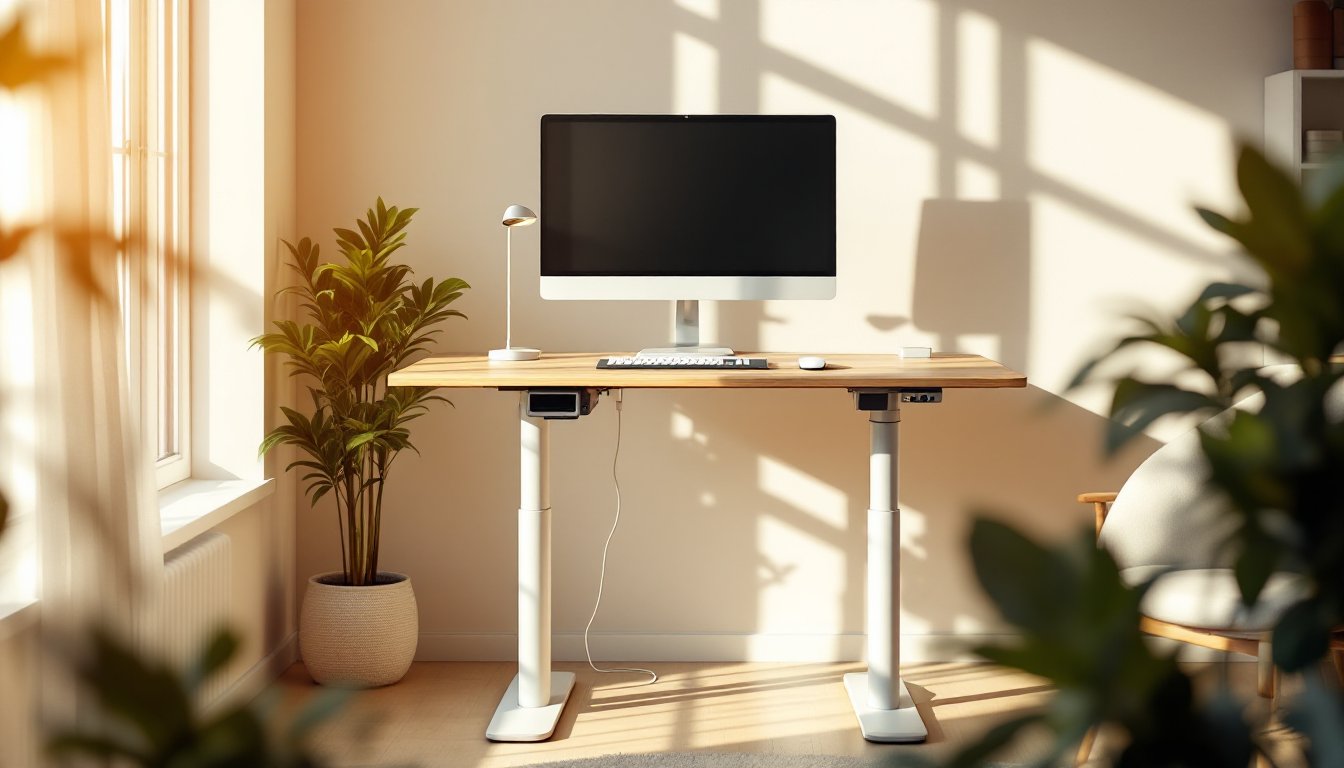
Remote work and hybrid schedules have made the home office a permanent fixture for millions of people. A standing desk IKEA solution offers an affordable way to combat the health risks of all-day sitting without breaking your budget or requiring professional installation. IKEA’s standing desk lineup, from manually-operated models to motorized electric options, makes it easier than ever to alternate between sitting and standing throughout your workday. Whether you’re outfitting a spare bedroom or upgrading an existing workspace, this guide walks you through choosing, setting up, and optimizing an IKEA standing desk for your needs.
Table of Contents
ToggleKey Takeaways
- IKEA standing desks offer an affordable alternative to premium office furniture, ranging from $150 for manual models to under $600 for motorized options, making them accessible for budget-conscious home offices.
- Motorized standing desks with dual motors and preset buttons justify their higher cost for full-time remote workers who frequently alternate between sitting and standing positions throughout the day.
- Proper ergonomics require setting your sitting height to allow 90-degree knee bends with feet flat on the floor, and standing height to position your eye level at the top third of your monitor for optimal comfort.
- Assembly success depends on laying out all parts before starting, using a cordless drill to prevent hand fatigue, and testing height adjustment and collision detection on electric models before placing your work equipment on the desk.
- Manual crank-handle standing desks work best as secondary workspaces or for occasional standers, while motorized IKEA models are ideal for frequent position switchers who need quick, quiet transitions between heights.
Why IKEA Standing Desks Are Ideal for DIY Enthusiasts
IKEA standing desks check every box for the DIY crowd: they’re affordable, modular, and require only basic tools to assemble. Unlike premium office furniture brands charging $800 to $2,500 per desk, IKEA’s range starts around $150 and tops out under $600 for motorized models. The flat-pack design means you control the build, no delivery crew required, no mystery damage, and no waiting weeks for installation.
Beyond price, IKEA desks are genuinely easy to configure. Most models use standard components that swap with other IKEA pieces (tops, legs, cable trays), so you can adapt your setup as your needs change. The instruction manuals are visual and straightforward, and replacement parts are readily available online or in-store. For someone who enjoys tinkering and customizing their workspace, this flexibility is invaluable.
Another key advantage: transparent quality standards. IKEA publishes load ratings, material specs, and dimensions upfront. You know exactly what you’re getting before assembly, and the company’s return policy gives you a safety net if something doesn’t work out. That transparency reduces buyer’s remorse, especially when comparing against mystery-box marketplace sellers.
Top IKEA Standing Desk Models to Consider
Best Budget-Friendly Options
The Bekant and Idasen manual models represent IKEA’s entry-level standing desk offerings. The Idasen (or equivalent manual lift models) start around $150–$200 and use a crank handle to adjust height. You’ll turn a hand wheel to raise or lower the desk, no batteries, no motors, no complexity. The adjustment range typically spans 22 to 48 inches, sufficient for seated work and standing posture. Load capacity runs 110 to 150 pounds, adequate for a monitor, keyboard, and small accessories.
Manual desks aren’t ideal for frequent position changes (you’re getting up to crank every time), but they excel as a first standing desk or a secondary workspace where you primarily stand or sit, not alternate throughout the day.
For a slight step up, the Pinnig or basic electric models in the $300–$400 range add a dual-motor system with memory presets. You can set two height positions and switch between them with a single button press. These desks typically hold up to 200 pounds and offer 22–48 inch height ranges.
Premium Motorized Choices
IKEA’s higher-end electric standing desks, such as the Idasen motorized version or Löfberg, run $500–$600. They feature dual motors, three to four programmable presets, and LED displays showing current height. Load capacity often reaches 275 pounds, and some models include collision detection, the desk stops if it encounters an obstacle during movement. These are the sweet spot for serious remote workers who want smooth, quiet transitions between sitting and standing throughout the day.
Design Milk frequently features IKEA workspace setups in their modern furniture reviews, showcasing how electric standing desks fit contemporary home office aesthetics. The motorized options are quieter and faster than manual cranks, and the hack community has found creative ways to upgrade IKEA desks with smart-home integration or improved controls.
How to Choose the Right Standing Desk for Your Home Office
Start with your space. Measure your workspace length, width, and any obstacles (windows, shelves, closets). IKEA desktop options range from 40 inches to 63 inches wide: pair that with leg styles to ensure the footprint fits your room. A narrower desk with a secondary side table often works better in tight spaces than overextending for a massive surface.
Next, consider your work habits. Do you switch between sitting and standing every hour, or do you mostly sit with occasional standing breaks? Frequent switchers benefit from motorized desks with preset buttons, the friction of manual adjustment will tempt you to stay in one position. Occasional standers can save money with a crank handle.
Load capacity matters more than people think. A monitor, keyboard, and mouse weigh less than you’d expect (5–10 pounds combined), but adding a second monitor, lamp, and decorative items climbs fast. Opt for a desk rated 25–50 pounds above your estimated load. Motor quality also ties into durability: dual-motor desks are quieter and distribute weight more evenly than single-motor models, extending the desk’s lifespan.
Budget is honest: if $500+ feels out of reach, a manual desk is legitimate. If you work from home full-time and alternate positions constantly, the electric convenience justifies the extra cost. Young House Love’s budget renovation philosophy applies here, invest where you’ll feel the benefit daily.
Finally, check the desktop material. IKEA offers laminate, solid wood, and engineered wood tops. Laminate resists scratches and water: solid wood feels premium but requires maintenance: engineered wood splits the difference. Match the top material to your workspace durability needs and aesthetic preferences.
Installation and Setup Tips for IKEA Standing Desks
Lay out all parts and hardware before you start. IKEA’s flat packs are organized, but dumping everything on your workspace creates chaos. Spread parts across a clean floor, check against the parts list (usually printed on the box), and set hardware in small containers.
Use a cordless drill for assembly. While you can drive screws by hand, a Makita 18V drill or equivalent saves time and reduces hand fatigue over two to three hours of building. Set the torque low to avoid stripping screw holes in particleboard. Assemble legs to the undercarriage first, then attach the desktop, this approach prevents the desk from sliding during tightening.
For electric models, connect the control box before screwing everything down. Route the power cable and USB inputs (if included) through cable management trays or clips. Most IKEA electric desks include rubber grommets for cable passages through the desktop, use them to prevent fraying and cable snags.
Once assembled, verify height adjustment works smoothly through the full range. Press the raise and lower buttons while the desk is empty: listen for grinding or squeaking (a sign of misalignment or motor stress). Test collision detection on motorized models by gently pressing the ascending desk to confirm it stops. These checks catch assembly errors before you place your gear on the desktop.
Final calibration: set preset positions once you’ve placed your monitor, keyboard, and accessories. Most standing desk ergonomics suggest your elbows bend 90 degrees in both sitting and standing positions. Sitting height should allow your feet flat on the floor with knees at 90 degrees: standing height should place your eye level at the top third of your monitor. Program one preset for each posture and you’ll seamlessly toggle throughout the day.
Conclusion
An IKEA standing desk delivers real ergonomic benefit at a price most homeowners can afford. Whether you go manual or motorized, you’re investing in a workspace that adapts to your health and work style. Measure carefully, assemble thoughtfully, and calibrate your presets, those small steps ensure years of comfortable, productive standing and sitting. Start with a standing desk that fits your budget today, and upgrade the motor later if your needs evolve.